
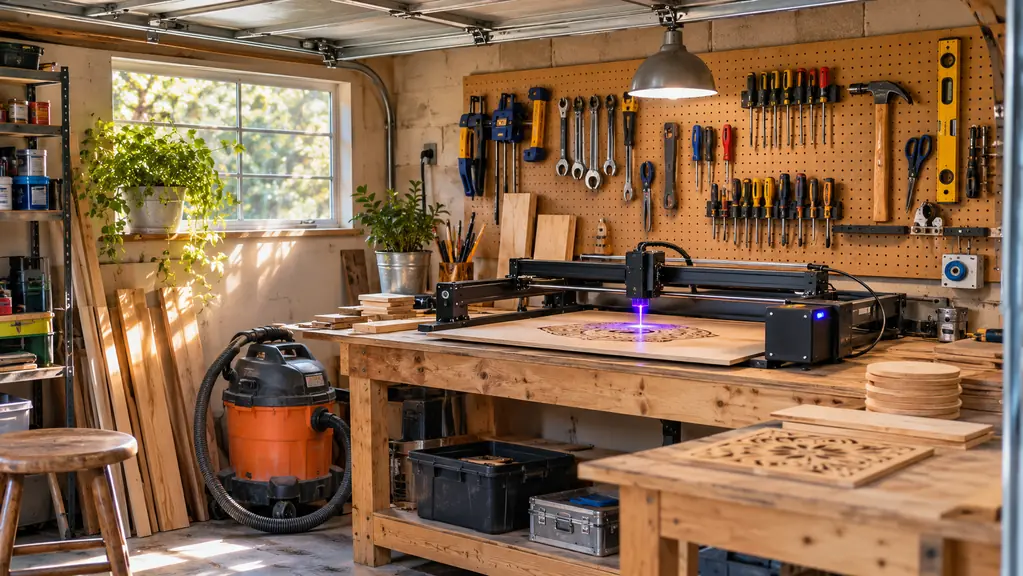
The Twotrees TTS-10 Pro showed up in a box about the size of a microwave, and the first thing I noticed was how little of it comes put together. That is not a complaint. It is just the honest starting point, because most of what I read before I bought skipped the two hours I spent with an Allen key on my workbench and went straight to the burn photos. I am 58, I spent thirty years in HVAC, and I run a small engraving setup out of the one-car garage behind my house outside Harrisburg. Cutting boards, tumblers, slate coasters, leather keychains, the odd wooden sign. This machine handles most of that work. It also has a few habits I would have liked to know about before I cleared a space for it.
So this is the review I wish somebody had handed me. Not a spec sheet read out loud, and not a hit piece either. What the Twotrees TTS-10 Pro does well in a real garage, where it falls down, and who should walk away and buy something else. I am not going to tell you it pays for itself in a month, because I cannot know that about your situation and neither can anyone else selling you one. What I can tell you is how it behaved on maple, walnut, stainless, leather and slate, and where I had to slow down and pay attention.
The Quick Verdict
A capable 10W diode with a true 300x300mm bed that fits a cutting board, four coasters, or a tumbler lying down. Assembly, focus checks and smoke management are the trade you make, and the small air pump is the weak link.
Amazon Check Today's Price →The Bed Is Just Under Twelve Inches Square. Measure Your Blanks First.
That single number decides whether this machine fits your work. The Twotrees TTS-10 Pro pairs a 300x300mm work area with 10W of optical output and ships with the air assist pump, tubing, TF card and assembly tools in the box.
Amazon Check Today's Price on Amazon →How I've Used It, and What I Actually Ran
The machine has been sitting on my back bench for a few months of weekend work now. My routine has not changed since I started engraving about three years ago. I take orders from neighbors and a handful of repeat customers, I build stock for craft fairs and the church bazaar, and Carol helps me pick designs and works the table with me. The machine's job is to turn a stack of blanks into finished pieces without me standing over it the whole time. On that count the TTS-10 Pro does the job, provided I set the job up right before I walk away. Setup is where this machine is won or lost, and it took me a few weeks to believe that.
The work area is 300 by 300 millimeters, which is a hair under twelve inches square, and that number matters more than the wattage for most of what I do. A standard maple cutting board drops in with room along one edge. Four slate coasters fit with the spacing I want between them so the designs do not crowd. A stainless tumbler fits if I lay it down and turn it by hand between passes, which is exactly what I expect to do on an open machine this size. If your work is signs that read from across a porch, measure your blank before you order anything. Twelve inches runs out faster than people think.
The 10 watt optical output, listed as 10000 milliwatts, is the other half of the story. A 450 nanometer blue light diode at that power will engrave walnut to a dark even brown in a single pass, and it will cut thin basswood ply without much drama once the air assist is running. It will not cut thick hardwood in one pass, no matter what a video thumbnail suggests, and it will not darken bare steel on its own. Once I stopped asking it to be a bigger machine than it is, my success rate went up sharply. The 32-bit dual-core mainboard is the part you never see. What I notice in practice is that a detailed job with a lot of small moves does not stutter or pause, which was not true of the first machine I owned.
What Nobody Tells You Before the Box Shows Up
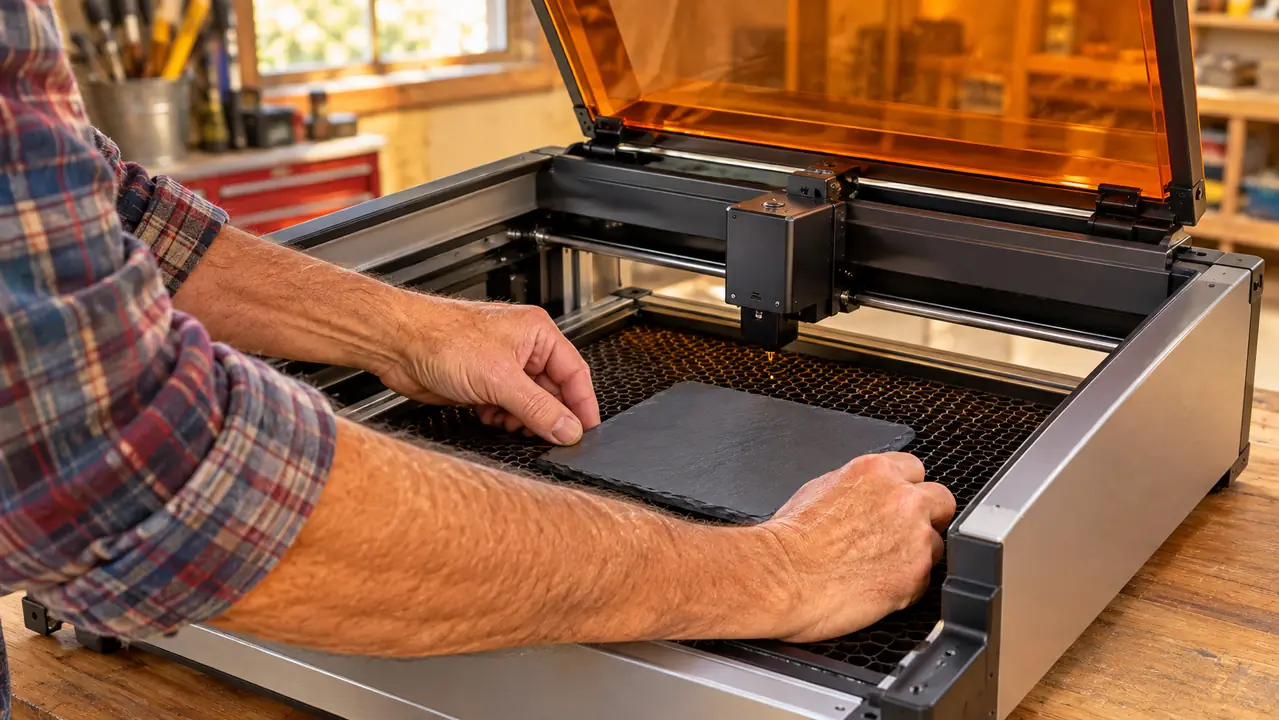
Assembly is real work. The box includes the tools you need and the air assist pump with its tubing, and the instructions are the kind you read twice and follow once. I laid every part out on the bench, sorted the hardware into a muffin tin so nothing rolled into the sawdust, and took my time. Call it two hours if you are careful and closer to three if you are like me and refuse to read step four before doing steps one through three. Nothing about the process is difficult. It is just not the unbox and burn that the short videos imply, and if you plan to give this as a gift, plan to build it with them.
Second thing: the job travels on the included 4GB TF card using the included card reader. That is the handoff between your computer and the machine, and it works fine. It does mean you build a habit around the card, because a job you forgot to move is a job you are not running tonight. I keep a small plastic box on the bench for the card and the reader so they do not wander off, which sounds trivial until you have spent twenty minutes looking for one while a customer waits on a coaster set. The card goes in, the job runs, and the card comes back out to the bench box. That is the whole workflow.
Third, and this is the one that costs beginners the most blanks: the distance between the lens and the material decides whether a burn comes out crisp or muddy, and nobody is going to check it for you. I keep a scrap of whatever I am engraving next to the machine and use it as a gauge before I start on a new material or a new thickness. That one habit fixed more bad burns than any setting I ever changed. If you buy this machine and skip that step, your first week will be a stack of ruined blanks and a bad mood that has nothing to do with the hardware.
Fourth: write your settings down. Power, speed, number of passes, material and thickness, in a notebook that lives next to the machine. I started doing this after ruining an entire batch of walnut blanks that I could not reproduce the good burn from. The TTS-10 Pro is consistent enough that a written setting will repeat, which makes that notebook the most valuable thing on my bench. It is also the reason I can hand a job to Carol and get the same result back.
The Air Assist Is Not a Bonus
The air assist pump and tubing come in the box, and I want to be plain about this: run them. Air blowing across the cut point does two jobs at once. It keeps smoke off the lens, and it clears char out of the kerf so the cut goes through cleanly instead of scorching its way down. On thin ply the difference between air and no air is a cut that separates on its own versus a cut you have to snap apart and sand the black edge off of afterwards.
The pump is small and it is not quiet. Mine sits on the floor under the bench with the tubing run up to the head, and I can hear it over the shop vac when both are going. That is fine in a detached garage where the nearest neighbor is a driveway away. If your machine has to live in a spare room or a shared space, that noise plus the smoke is going to be the thing that ends the arrangement, not the laser itself.
Smoke is the part of this hobby that gets undersold everywhere. I vent through the window behind the bench with a fan in it, I run the shop vac when I am cutting, and I still get a smell in the garage that Carol notices before I do. An open machine means the fumes are yours to manage, and that is not a flaw specific to Twotrees. Plan for it before the first job, not after the first complaint from the house.
Just under twelve inches of bed is a cutting board, four coasters, or a tumbler lying down. It is not a sign shop, and this machine gets a lot happier once you stop asking it to be one.
Where It Bugs Me
The bed size is my biggest gripe, and it is not a defect, it is arithmetic. Anything longer than the bed has to be done in two setups or not at all, and lining up a second setup so the two halves of a design meet cleanly takes practice I did not have at the start. I have a stack of sign blanks on the shelf that I bought before I did that math. Now I buy blanks that fit the machine, my scrap pile has stopped growing, and my answers to neighbors are more honest about what I can and cannot make.
Second gripe: speed. A diode engraver is not fast, and large dark filled areas are where that shows. A coaster with a simple line design is quick enough that I can run a set while I am tidying the bench. A board with a big shaded logo takes considerably longer than the same design in outline, because the machine has to walk every one of those lines. I have learned to weigh my own patience before I promise a piece to somebody. If a job is going to run past an hour, I start it early and do something else in the garage while it works.
Third gripe, and this one is on me more than on the machine: the TTS-10 Pro rewards consistency and punishes improvising. Same material, same thickness, same written settings. The weeks where I got sloppy and guessed were the weeks I burned through blanks and had to apologize. The machine does exactly what you tell it to do, which is a good trait in a tool and not always a compliment when the instructions were mine.
Fourth, minor but real: the corded 24 volt supply means the machine is tied to an outlet, so think about where the bench sits relative to power before you build anything permanent. It also means no battery fading out in the middle of a long job, which I count as a fair trade. I ran a strip along the back of the bench and have not thought about it since.
Materials I Ran Through It
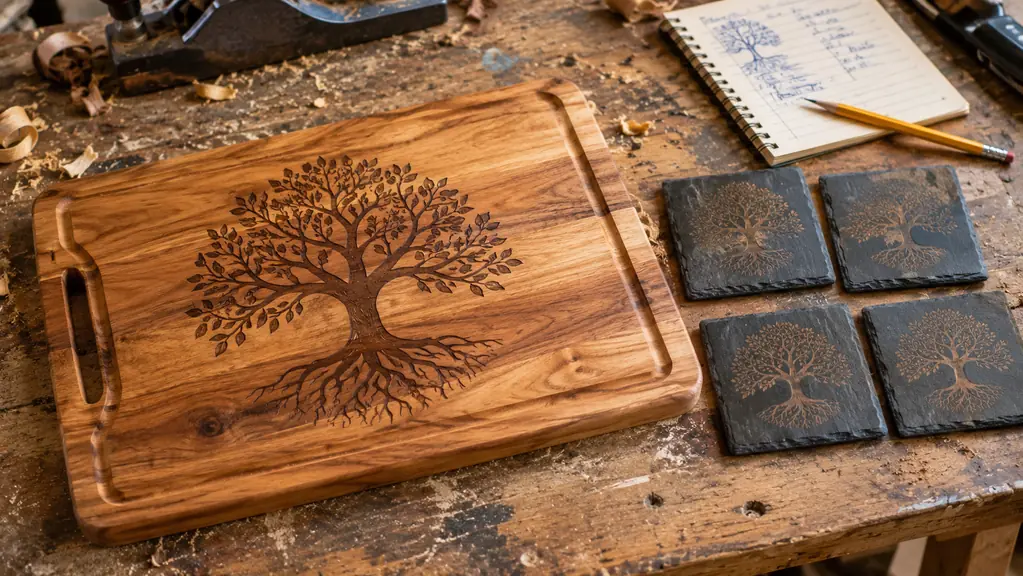
Maple and walnut are the easy wins. Both engrave to a good dark contrast at a moderate setting, and a light sanding after the burn cleans up the edges of a design nicely. Slate takes a burn beautifully and does not care much about small setting errors, which makes it the material I hand to anyone learning on this machine for the first time. Leather was the surprise. Low power, fast speed, a light touch, and leather keychain blanks and patches come out sharp enough to stitch onto a jacket. It also smells like a barber shop in the garage for an hour afterwards, which is not a complaint.
Stainless is the one that needs a conversation. A blue light diode will not darken bare stainless on its own. I use a marking compound on tumblers, spread thin and let dry all the way through before the burn, and the results hold up to hand washing. Anyone who tells you their diode marks bare steel with no prep is describing something other than what I have in my garage. This is a materials issue rather than a Twotrees issue, and it applies to every 450 nanometer machine on the market, so do not let a listing photo of a shiny tumbler set your expectations.
Cutting is where I keep my expectations low and steady. Thin ply, craft wood, and card stock cut cleanly with the air assist running and a couple of passes. Thicker hardwood is an engraving job, not a cutting job, and treating it that way saved me a lot of blanks. When I stopped trying to make this machine do the work of a bigger one, my results got better, my material lasted longer, and I stopped swearing at the bench on a Saturday morning.
What I Liked
- True 300x300mm work area, just under twelve inches square, fits a cutting board, four coasters, or a tumbler lying down
- 10W optical output engraves walnut darkly in one pass and cuts thin ply cleanly with air assist
- Air assist pump and tubing, 4GB TF card, card reader and assembly tools all included in the box
- 32-bit dual-core mainboard keeps detailed jobs with many small moves running without stutter
- Corded 24 volt supply and a one year warranty, so no battery fading out mid-job
Where It Falls Short
- Assembly and first setup eat an afternoon before the first burn
- Open machine means smoke and pump noise are yours to manage, and venting is not optional
- Jobs transfer by TF card, so a forgotten card is a lost evening
- Anything longer than the bed needs two setups or a different machine entirely
- Small air pump is clearly audible over a shop vac in a quiet space
Who This Is For
This is a machine for somebody with a bench, a window, and patience. If you want to engrave cutting boards, slate coasters, tumblers, leather patches and small signs, and you are willing to spend an evening learning your settings and writing them down, the TTS-10 Pro will do the work cheerfully. It suits a garage or a shed where a little smoke and a little pump noise bother nobody. It suits the person who wants one machine that handles several materials reasonably well rather than a specialist tool for one of them. And it suits a beginner who is stubborn enough to ruin a few blanks on the way to learning, because that is how the settings get written down in the first place.
Who Should Skip It
Skip it if your work is bigger than the bed on a regular basis. Skip it if the machine has to live in a bedroom, a shared office, or anywhere a neighbor will object to smoke and a pump running. Skip it if cutting thick hardwood is your primary job, because you will spend every weekend fighting the machine instead of finishing orders. And skip it if you are not going to write anything down. The people who go sour on a diode laser are almost always the ones who changed three settings at once, got a bad burn, and blamed the hardware. This machine has honest limits. Knowing them before you buy is the entire point of reading a review like this one.
If Your Blanks Fit Inside Eleven and a Half Inches, This Is the Machine Worth Looking At
Confirm the 300x300mm bed against the blanks you actually buy, check the one year warranty terms, and read the included components list so nothing surprises you on delivery day. Then decide with your bench measured and your window open.
Amazon Check Today's Price on Amazon →